Edit global shadows visually and write changes straight back to your code
@designtools/shadows is an open-source, CLI-based tool that gives you a visual editing layer for your project's box-shadow values. One command from your project root and it detects your framework, scans your source files for shadow definitions, and opens an editor with your app proxied inside. Every change writes straight back to source in the correct format, no manual import or export step.
01
Run one command
npx @designtools/shadows from your project root. It detects your framework and scans your tokens.
02
Edit shadows
The editor opens in your browser at localhost:4410. Adjust layers, apply presets, and view changes live.
03
Changes saved to code
Every edit writes back to the correct source file in the format your framework expects, ready to be PR'd.
Tailwind CSS
Bootstrap 5
W3C Design Tokens
CSS Variables
Shadow tokens
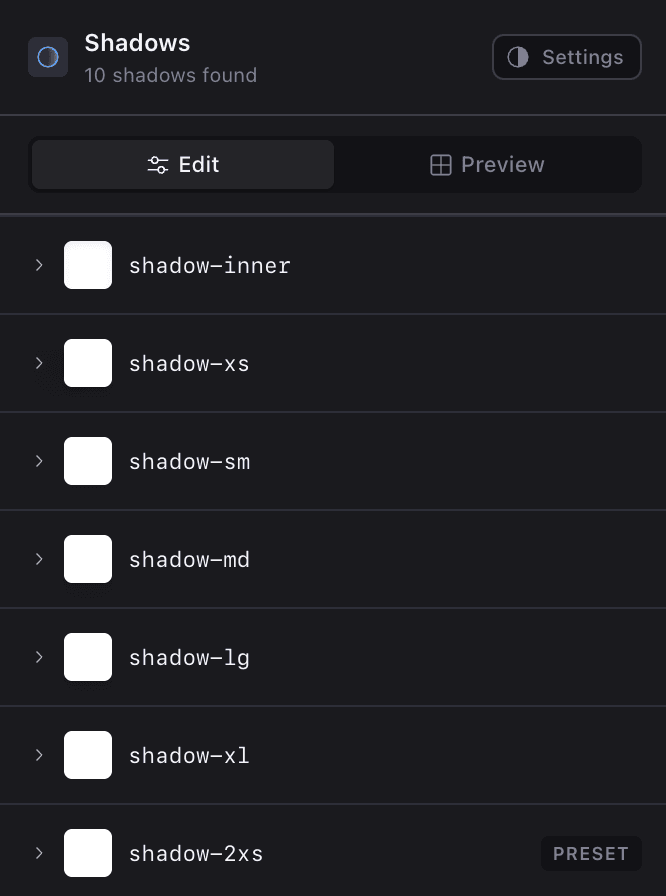
Every shadow in your project, whether custom or framework default, is listed with its current value. Select any token to open the layer editor, or apply a preset to replace it entirely.
Layer editor
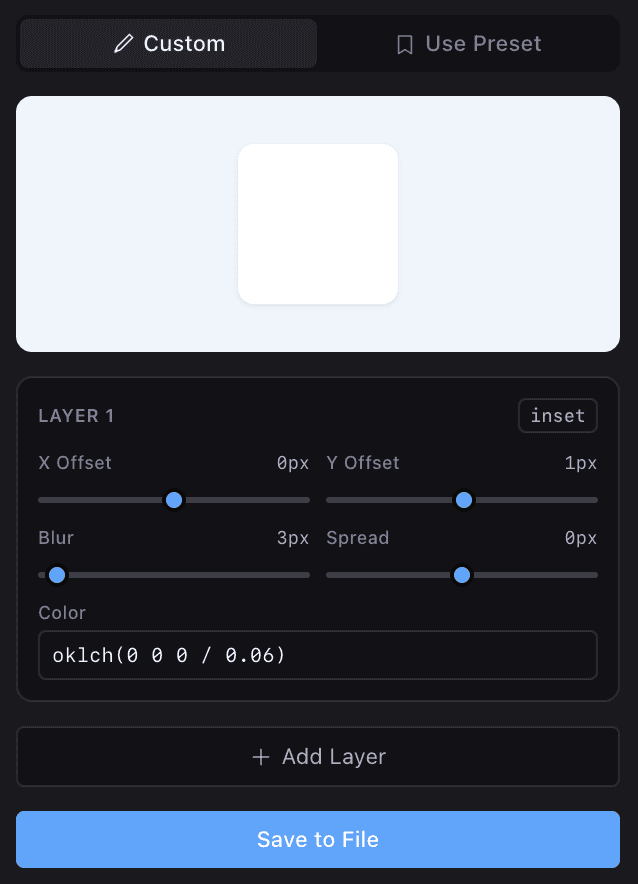
Each shadow is broken down into its individual layers with controls for offset, blur, spread, and colour. Add or remove layers, toggle inset, and see changes reflected live in your proxied app.
Presets
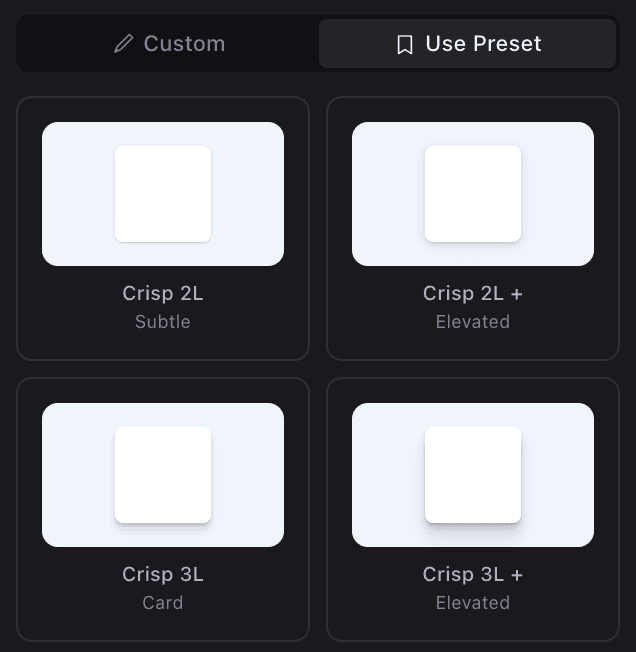
The editor ships with curated presets across subtle, medium, dramatic, layered, and coloured glow categories, with up to 6 layers for crispy, natural-looking depth. Apply any preset to any token and tweak from there. Custom shadows always take precedence over presets. If you've already overridden shadow-md in your CSS, the editor loads your value, not the Tailwind default.
Install and usage
Run this from your project root while your dev server is running:
npx @designtools/shadows
The editor opens at localhost:4410 with your app proxied inside. If your dev server runs on a different port, pass it with --port:
npx @designtools/shadows --port 5173
Try it
Clone the repo and run it against one of the included demos:
github.com/andflett/designtools
git clone https://github.com/andflett/designtools.git
cd designtools
npm install
npm run build

# Terminal 1 — start a demo
npm run demo

# Terminal 2 — start the shadow editor
npx @designtools/shadows
Part of @designtools
@designtools/shadows is part of a growing suite of open-source, CLI-based design tools that all follow the same pattern: detect your framework, scan your source files, open a visual editor in the browser, and write changes back where they came from. No config files, no plugins, no build step integration required.
A multi-framework CLI design tool with both AI and deterministic edit modes
The companion tool for editing tokens, component variants, and instances