Using on-device AI to make sense of medication schedules
Managing multiple medications is a tedious business. You're squinting at pharmacy labels written GP-speak shorthand, juggling different schedules, and trying to remember whether you're about to run out of something important. Medication tracking apps exist, of course, but they all want you to manually type in every detail from the label.
The real complexity is in the variety. Medications come in tablets, capsules, liquids, inhalers, drops, creams, and patches, each with their own units. A pharmacy label might say take 4 capsules twice daily or inhale 1-2 puffs as required up to four times a day. Dose frequencies range from strict twice-daily schedules to as-needed with maximum limits. Pack sizes are measured in tablet counts, millilitres, or number of doses. Getting all of that into structured data from a photo of a crumpled label is a genuinely interesting problem for on-device AI to solve.
I built Dosi as a learning project to explore on-device AI/ML and to answer a straightforward question: can you just point a camera at a pharmacy label and have the app figure out the rest?
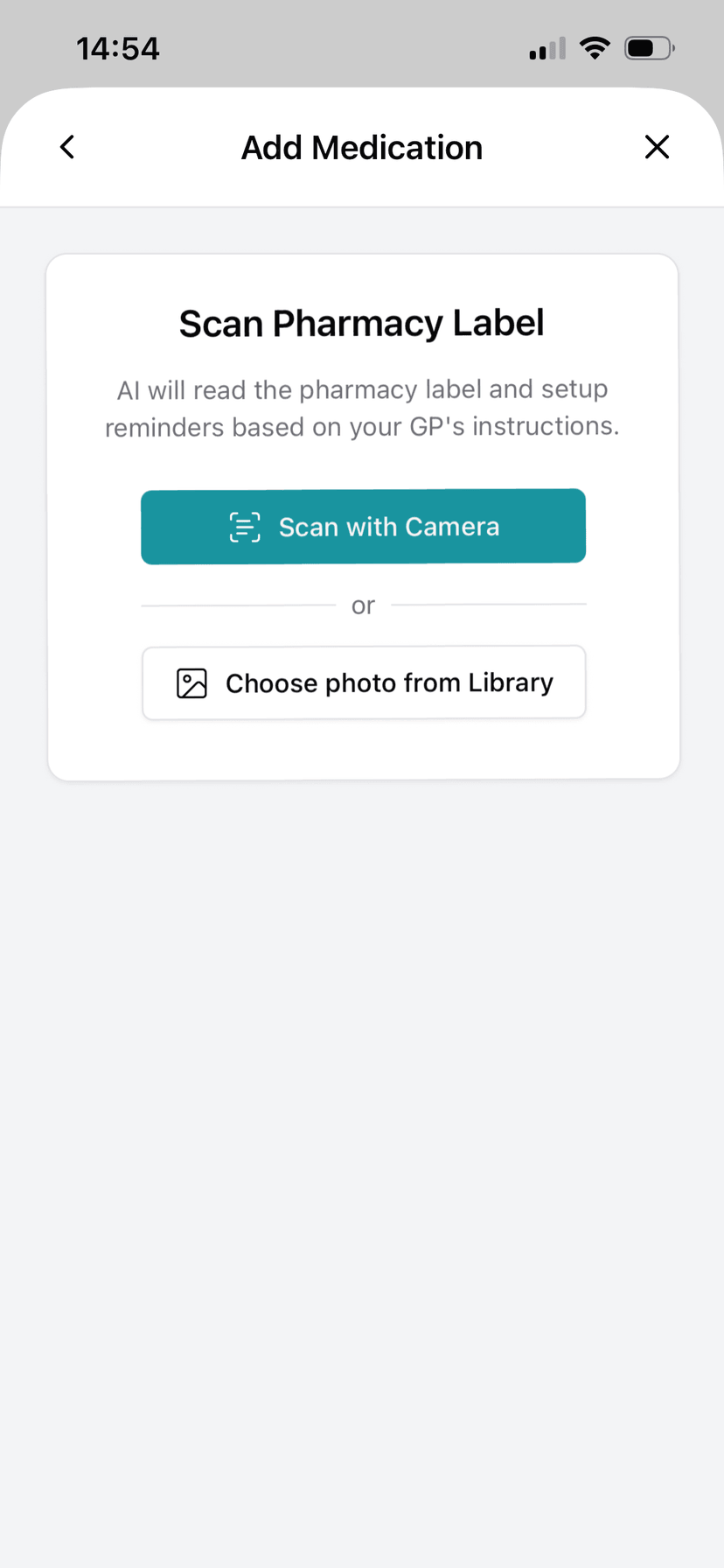
AI-powered label scanning
Point your camera at a pharmacy label and the app extracts medicine name, dosage, and instructions automatically
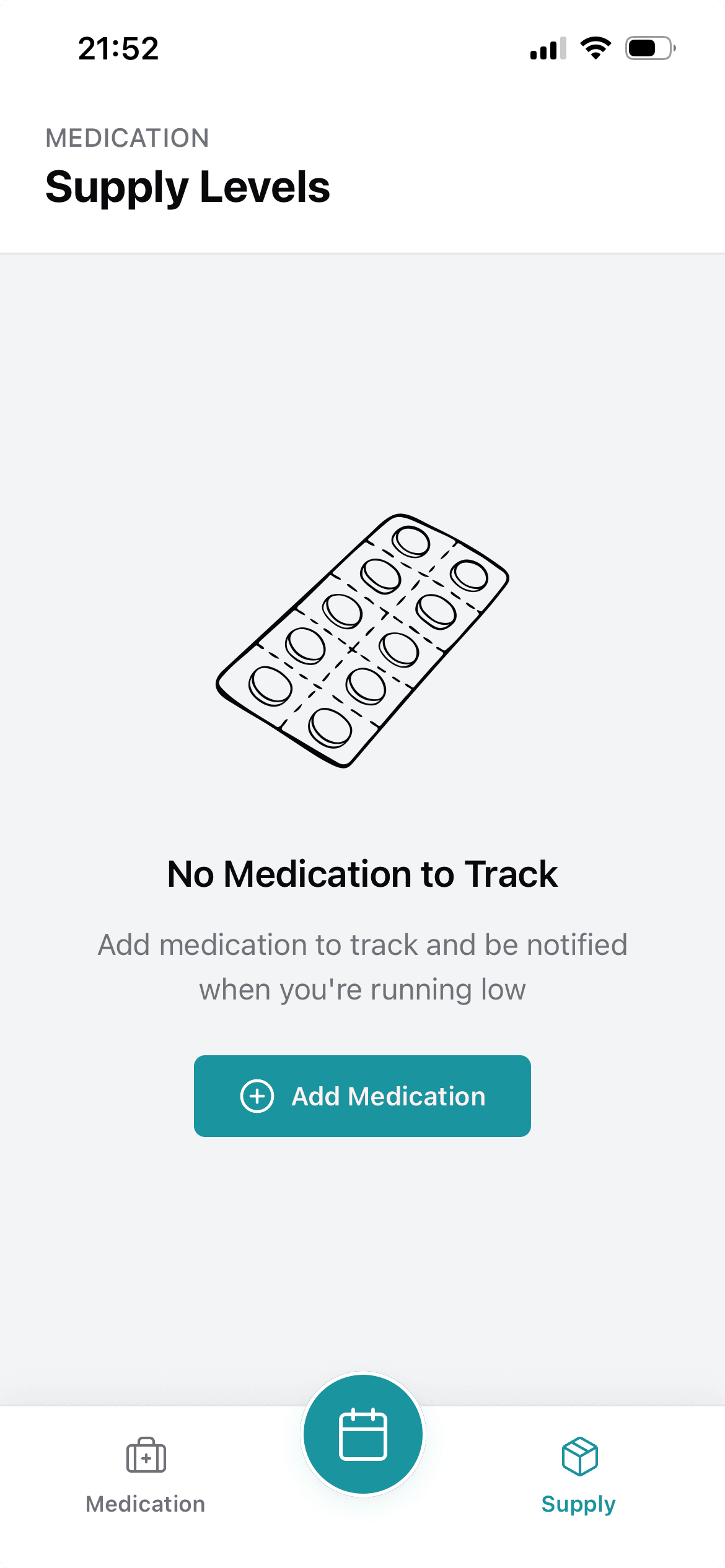
Supply level monitoring
Visual indicators and run-out predictions so you never miss a reorder
Smart dose reminders
Personalised to your schedule, with the sense to skip reminders for as-needed medications
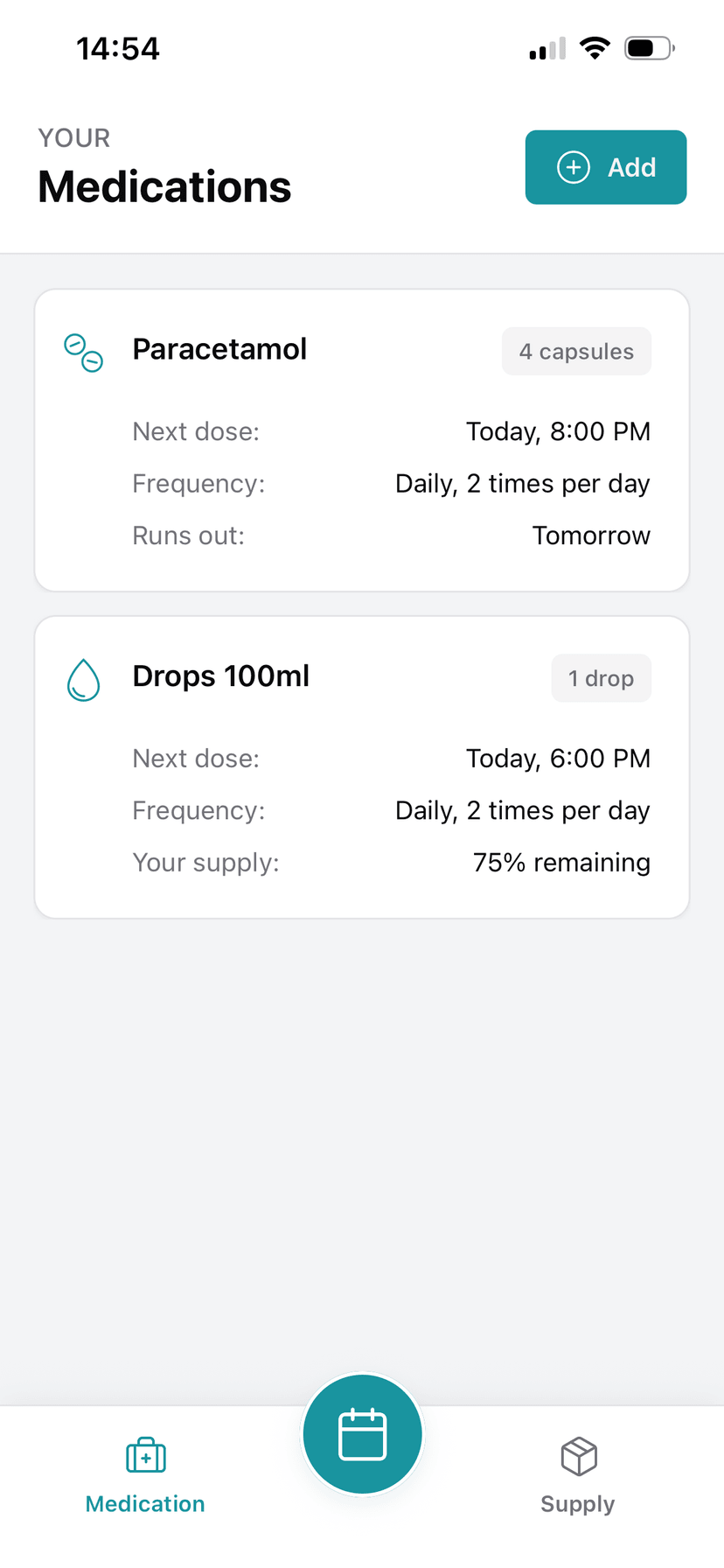
Complete medication overview
Next doses, frequencies, and supply status visible at a glance
How it works
You take a photo of your pharmacy label. Dosi runs ML-powered OCR and passes the information to an LLM to interpret the medication name, dosage, form, frequency, and instructions.
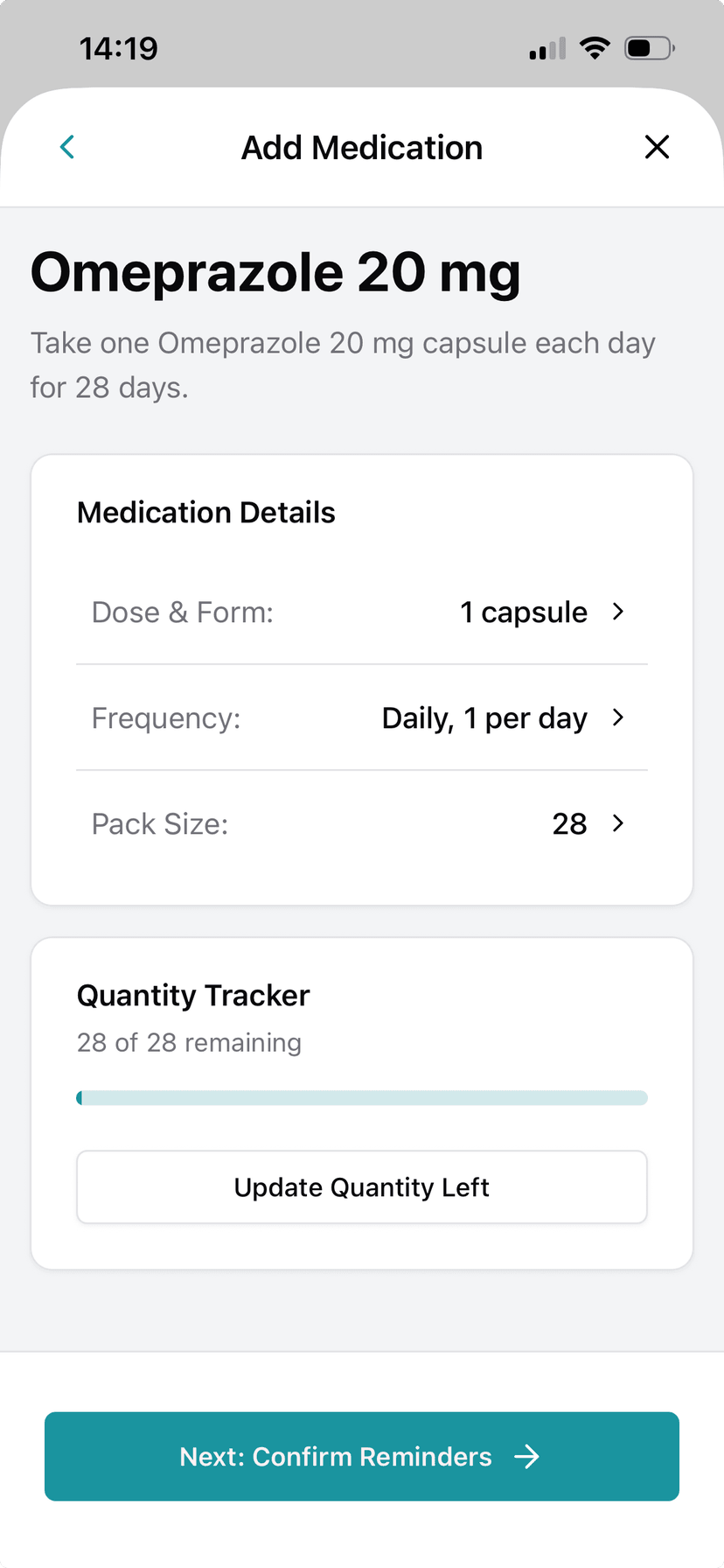
Once AI has figured out what the jargon on the label means, it formats it into structured data, and presents it for confirmation. You can tweak anything it got wrong before saving, though in testing it was surprisingly accurate even with cryptic GP notes and semi-faded, crumpled labels.
Medication overview
Once your medications are added, the home screen gives you a clear summary of everything: next doses, frequencies, and supply status. Each medication card shows what you need to know without having to tap into anything.
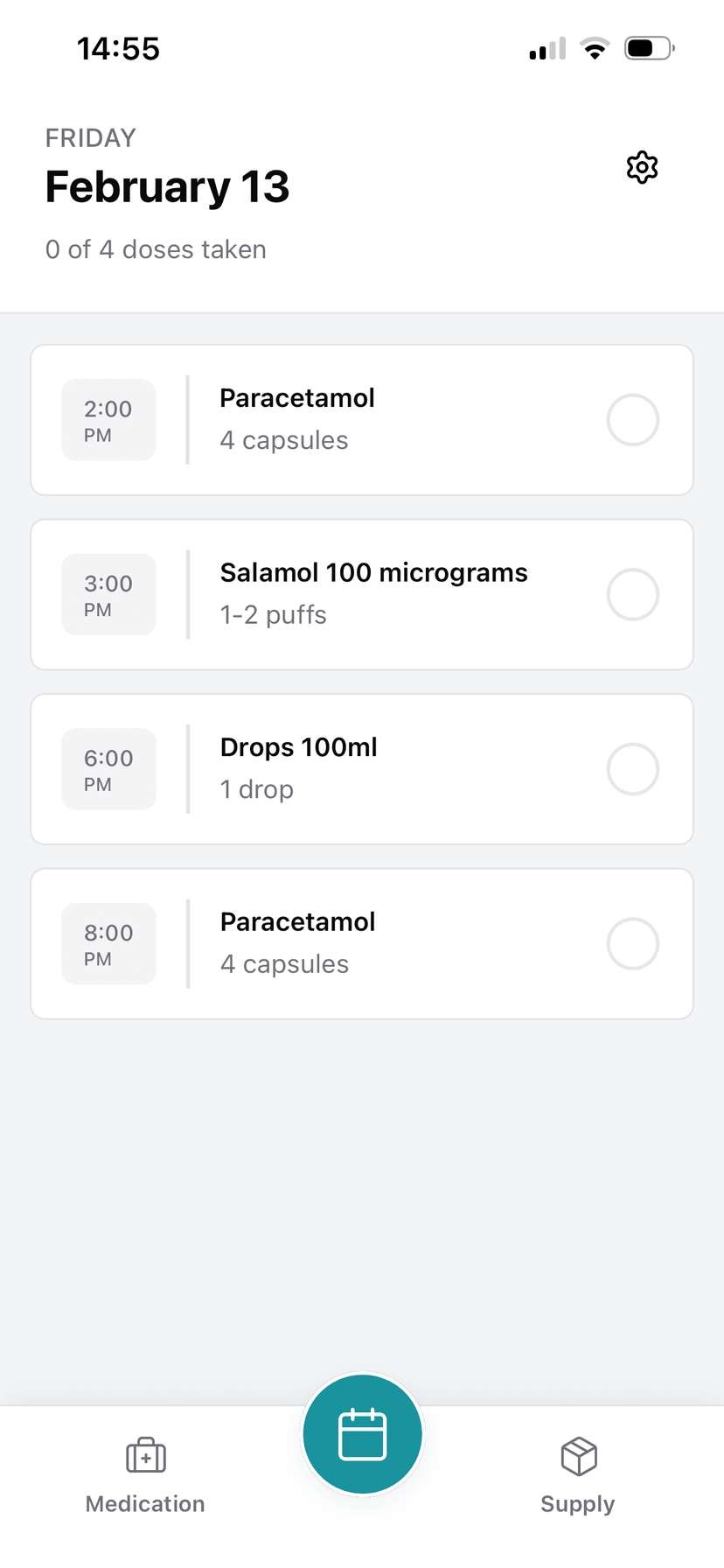
Daily schedule
The schedule view lays out your day with every dose in order. Simple checkboxes to mark them off as you go, with a running count of how many you've taken versus how many are left.
Editing and managing medications
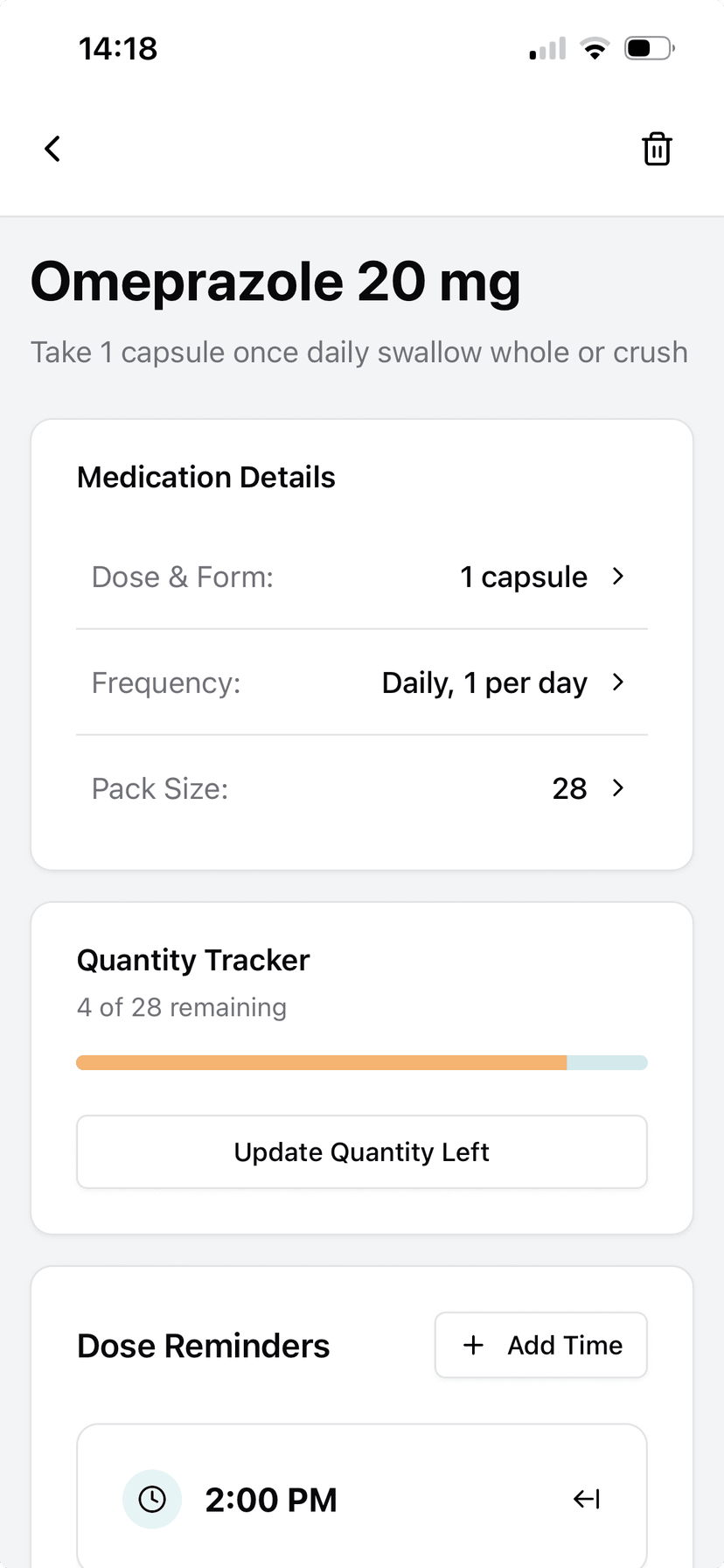
Tapping into any medication gives you full control over the details. You can adjust dose, frequency, pack size, and set up dose reminders with specific times. The quantity tracker shows exactly how many you have left with a visual progress bar.
Smart reminders
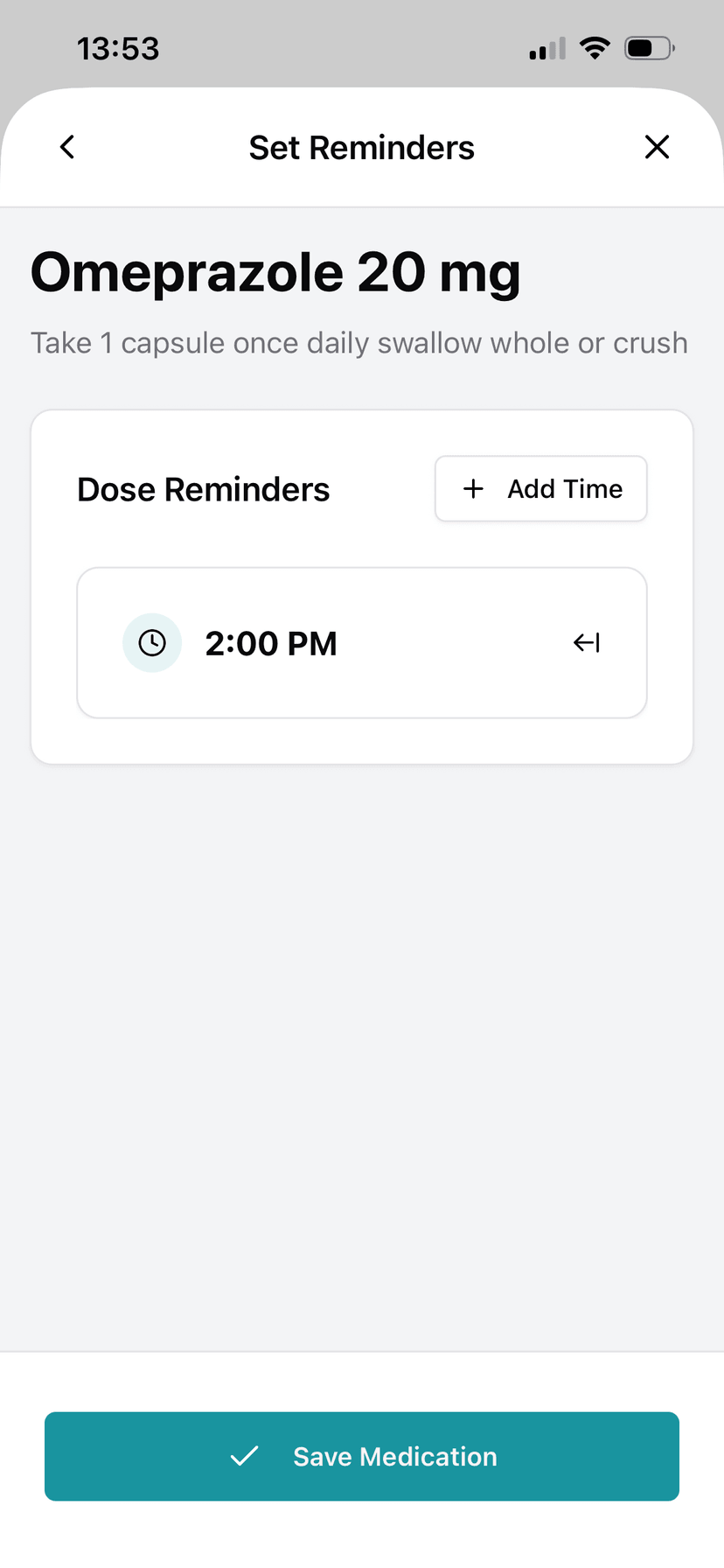
Reminders are set based on the medication's actual schedule. For regular medications, you pick your dose times. For as-needed medications like inhalers, the app recognises this from the label and skips automatic reminders entirely.
Supply tracking
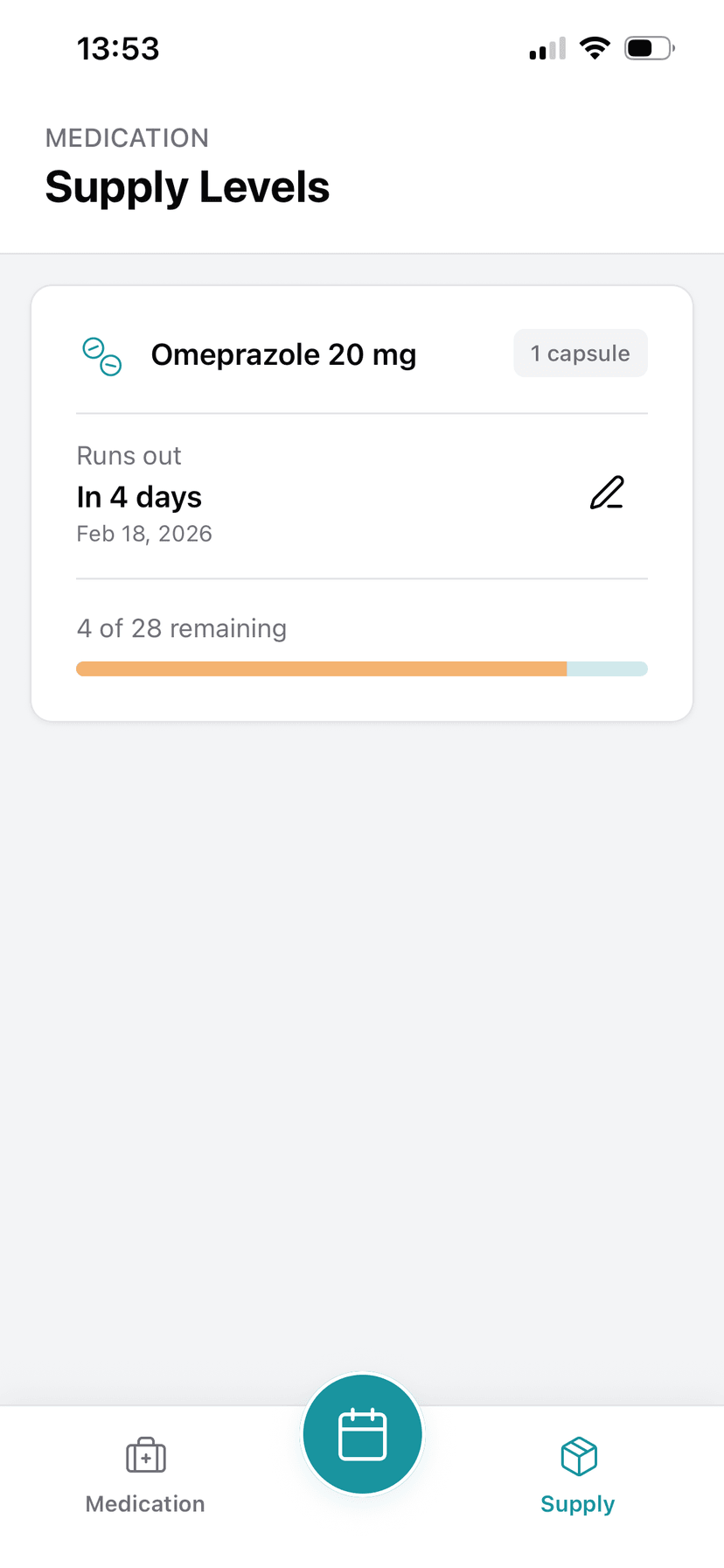
The supply levels tab is where things get properly useful. It tracks how many of each medication you have left, predicts when you'll run out, and flags anything that needs reordering. No more turning up at the pharmacy having already missed a day.
Where it landed
Although a complete and functionaly product, the app resides only on TestFlight. This was a learning project rather than a product launch. Supporting an app which helps people manage complex medical needs is not something to take lightly.
That said, I am open to investments from that AI bubble I've been hearing about. Will accept no less than £250m.