Standardising design ops and engineering practice for 15+ products at LloydsDirect
LloydsDirect had grown fast. Over 15 products, each with its own visual patterns, duplicated components, and slightly different design patterns for similar functionality. Every new feature meant building from scratch. Accessibility was inconsistent. Designers and engineers worked in parallel rather than together, and handoffs required constant clarification.
Building a shared language
The foundation was design tokens: the atomic layer of truth for colour, spacing, typography, and motion. Dark mode and white-labelling came for free, but the real value was giving designers and engineers a shared vocabulary.
Designers are often used to naming colours descriptively: "light blue", "dark blue", "really dark blue". That breaks down fast across 15 products, internal tools, patient apps, and multiple brand identities. The system needed tokens like primary-600 and spacing-md to mean something consistent everywhere, but flex to different visual outputs depending on context. Instead of remembering which shade of blue to use, engineers reached for tokens like background-subtle rather than gray-50, and designers learned why that distinction matters when you're supporting light and dark modes.
The challenge was balancing flexibility with constraint. Dense internal dashboards and calm patient-facing interfaces had to come from the same token set, but it needed to be genuinely hard to make something look bad. Get the token architecture right, and good design is baked into the code itself. Get it wrong, and you've just created a more complicated way to be inconsistent.
Gradually, designers started thinking in terms of the system first, specific implementations second. They'd propose new token values rather than one-off spacing adjustments. They'd contribute pattern documentation. They'd catch inconsistencies before they shipped. The system became something the whole team owned.
Serving two audiences
The system needed to support both internal tools and patient-facing products. Internal tools prioritise density and speed for power users. Patient apps prioritise clarity and generous spacing for people who are often anxious or unwell. Two separate systems would have doubled maintenance and fragmented the design language. Instead, the architecture used one component library where theming happens at the token level.
Same components, different spacing scales, different typography sizes. Internal tools pull from the tighter end of the token scales. Patient apps use the more generous end.
Living documentation with zero overhead
Documentation is where most design systems die. It starts comprehensive, then gradually drifts out of sync with the code until nobody trusts it. The solution was custom docgen scripts: documentation that generates itself from the code and stays current by design. Everything stayed synchronized because it was generated from the source code itself, not a stale snapshot from three months ago.
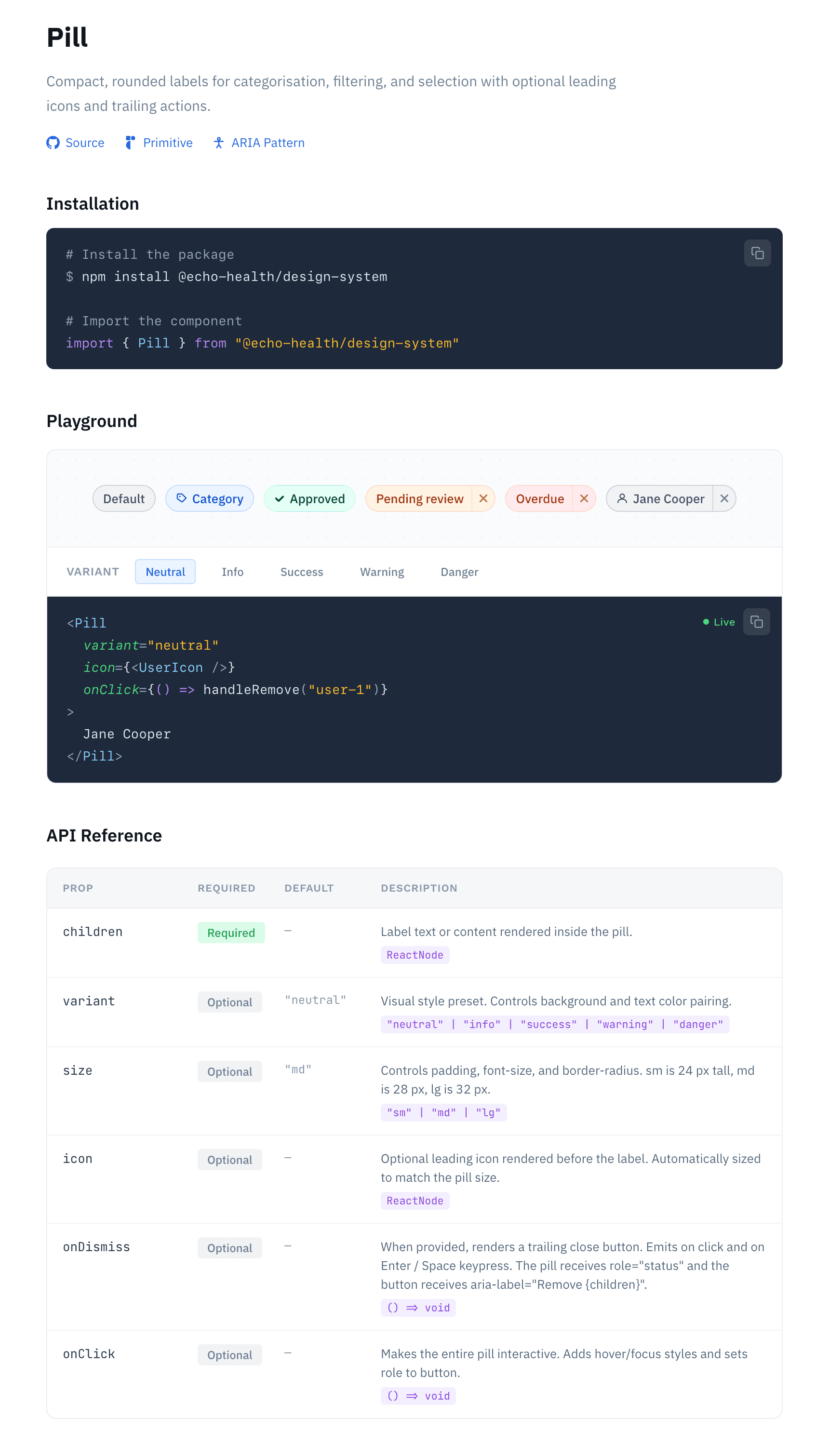
The documentation generator scanned the codebase at build time and extracted everything it needed automatically. Write a component with TypeScript props, and the system would generate full documentation showing prop types, expected values, and usage examples. No JSDoc comments required. The barrier to contribution was as low as it gets: write the component, and documentation appeared on the docs site and in your IDE.
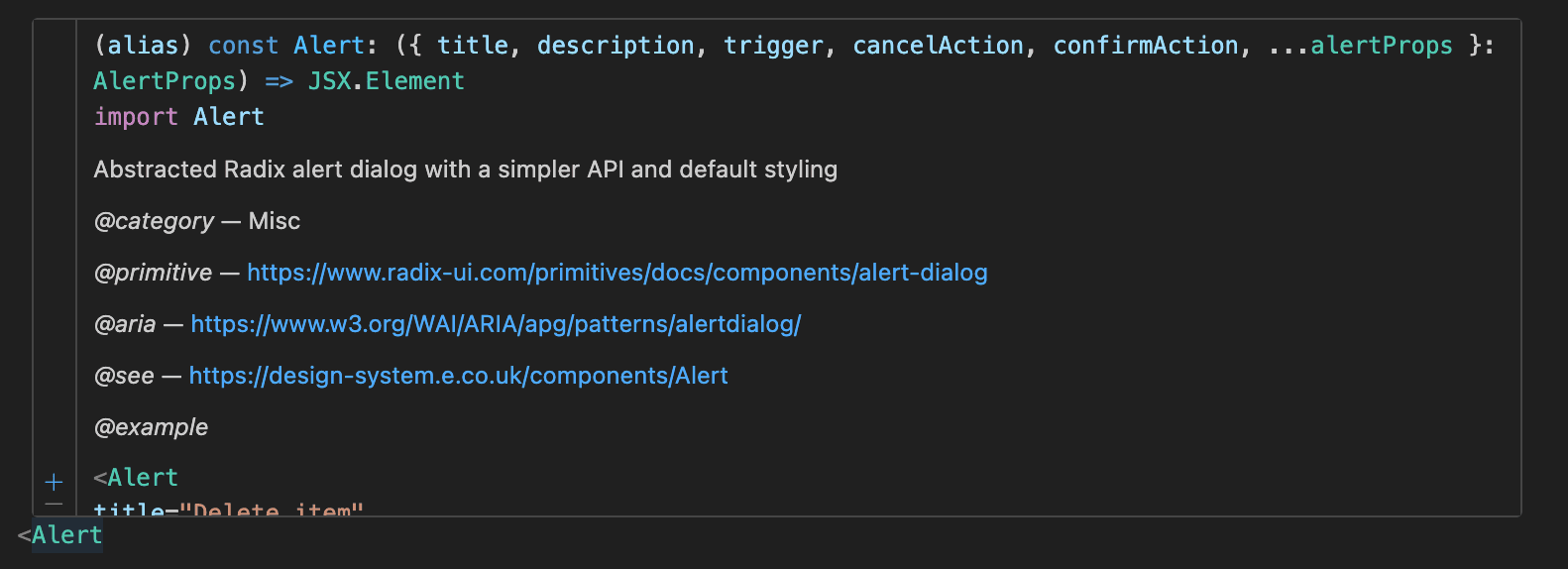
JSDoc comments were optional enhancements. Add them, and you could provide richer descriptions, usage guidance, and categorisation. But even without them, engineers got inline IDE documentation showing prop types and expected values.
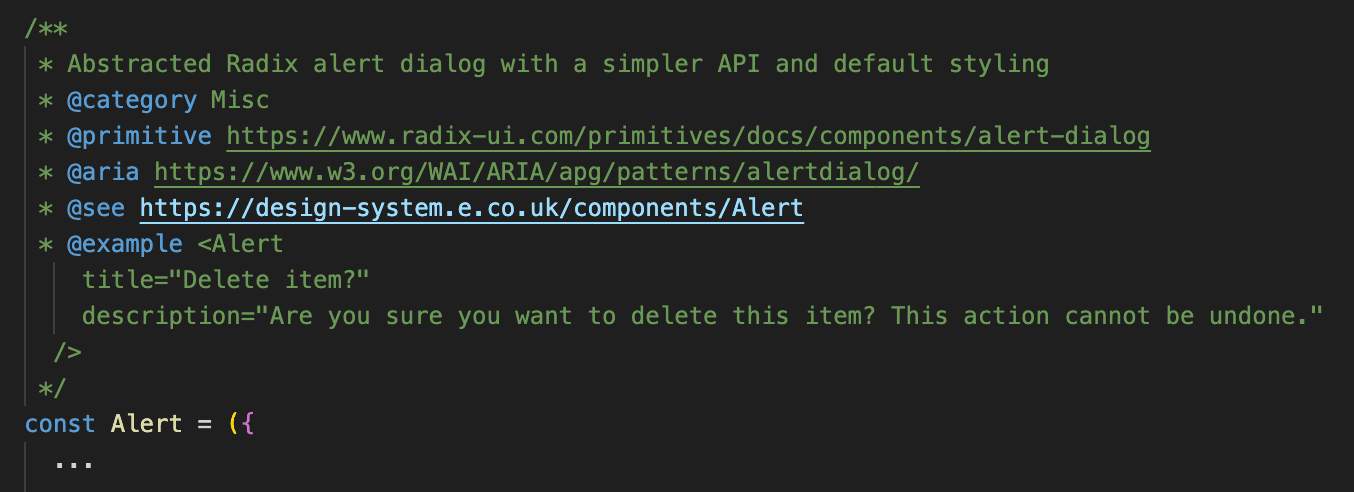
Icon and illustration packages for web and native
The same principle applied to the icon library. Designers could drop SVG files into a /svgs directory. Running npm run regenerate-assets would process every icon (including the full Material Design Icons set), generate React and React Native components, and publish them automatically via GitHub Actions. The system handled name transformations, style variants, and deduplication without manual intervention.
The illustration pipeline worked identically. Add an asset, run the command, and it's available across web and native platforms within minutes.
Having a single source of truth for all icons and illustrations meant designers could update assets knowing the changes would propagate everywhere automatically. No hunting through repositories. No version mismatches between web and native. No stale copies floating around in Slack threads. The frictionless pipeline meant new assets could go from design to production in minutes, not days, without requiring engineering intervention. This kept the library current and made contribution feel effortless.
Patterns, not just components
Components are the building blocks, but patterns are the blueprints. A button is a component. An entire authentication flow with error handling, loading states, and token refresh logic is a pattern.
These patterns were packaged as separate libraries so teams could adopt best-practice solutions without taking dependencies on components they didn't need. This made adoption more flexible and kept bundle sizes reasonable. Patterns codified decisions that had been made multiple times across different projects, turning institutional knowledge into reusable packages.
Authentication pattern
Complete auth flows with token refresh, route protection, and session management.
Internal tool layout
Standardised dashboard layouts with consistent navigation and controls.
Sidebar navigation
Responsive navigation with nested items, badges, and collapsible sections.
Sign in
Insert your key and hold
Enter your PIN
Never share your PIN with anyone
Making adoption feel like an upgrade
A design system nobody uses is just a fancy document. But mandating adoption rarely works either. Teams dig their heels in when you force migration. The answer was something different: a system so good that teams wanted to adopt it, even though they didn't have to.
A component library
covering both internal tooling and patient-facing apps, all accessibility-tested and production-ready
A pattern library
with best-practice solutions for forms, navigation, data display, and error handling
Developer experience
linters, formatters, inline IDE docs, and automated visual regression tests
How it was built
The design system lived in a Turborepo monorepo alongside 15+ product applications. This wasn't just for convenience. It meant shared tooling configs (TypeScript, ESLint, Prettier) across every package, eliminating the per-project setup tax that usually kills internal libraries.
The package structure broke down like this:
Core packages
design-system for the main component library, separate theme packages for internal and patient-facing apps, and icons for the full icon library
Pattern packages
Reusable best-practice implementations like react-auth for authentication flows, packaged separately so teams could adopt patterns easily
Utility packages
Shared configs for TypeScript, ESLint, and Prettier, plus helpers for GraphQL, gRPC, and error handling
The stack used TypeScript for type safety, esbuild (via tsup) for fast bundling, Radix UI for accessible primitives, and styled-components initially (later migrating to Tailwind for Next.js 16 compatibility). Not groundbreaking choices, but solid ones that prioritised maintainability and developer experience over novelty.
Turborepo's caching meant that building the entire monorepo took minutes, not hours. Change a single component, and only that component and its dependents rebuild. This made iteration fast and kept CI pipelines reasonable even as the system grew.
Versioned releases and changelogs
Every update to the design system was published as a versioned package to NPM, with changelogs written for both designers and engineers.
Teams could pin to a specific version and upgrade on their own schedule. They could run different versions across different products if needed. They could read the changelog, understand what changed, and make an informed decision about when to upgrade. No surprises. No forced migrations. Just a clear path forward whenever they were ready.
Make it backwards compatible
The system was built to run alongside the legacy component library without conflict. Teams could migrate component by component, page by page, sprint by sprint. No blocking rewrites. No project-wide refactors. No downtime. Just incremental improvement whenever they had capacity.
The system also ran styled-components and Tailwind side by side during the internal migration to Next.js 16, proving that gradual transitions were not only possible but preferable. The architecture accommodated both, letting teams move at their own pace whilst still benefiting from shared tokens and components. Future-proofing wasn't about picking the perfect tool and committing forever. It was about building a system flexible enough to evolve without breaking.
Ultimately adoption happened because the developer experience was noticeably better. Engineers got inline IDE documentation showing prop types and usage examples without leaving their editor. Pre-commit hooks caught uses of absolute values rather than semantic tokens before code even hit review. Playwright regression tests flagged visual drift in component designs automatically. Tree-shaking kept bundle sizes down. Every quality standard they'd normally have to enforce manually was just there by default.
The human side of design systems
Design systems look deceptively simple from the outside. A docs site, some components, a token reference. But that surface simplicity hides the real challenge: making adoption feel natural, migration feel safe, contribution feel straightforward, and maintenance feel sustainable.
Get the people and processes wrong and you end up with a pristine component library that nobody uses. Or worse, one that teams actively avoid because it's too rigid, too complicated, or just not worth the hassle. The difference between a design system that gets adopted and one that gets binned isn't the quality of the components. It's whether you've solved for gradual adoption, frictionless contribution, and ongoing maintenance from day one.
This system was built to work with teams, not against them. That meant backwards compatibility so migration could happen incrementally. It meant documentation that stayed current without manual effort. It meant tooling that caught mistakes early. It meant packaging patterns separately so teams could adopt what they needed without taking the rest. The technical architecture matters, but only insofar as it makes the human process easier.