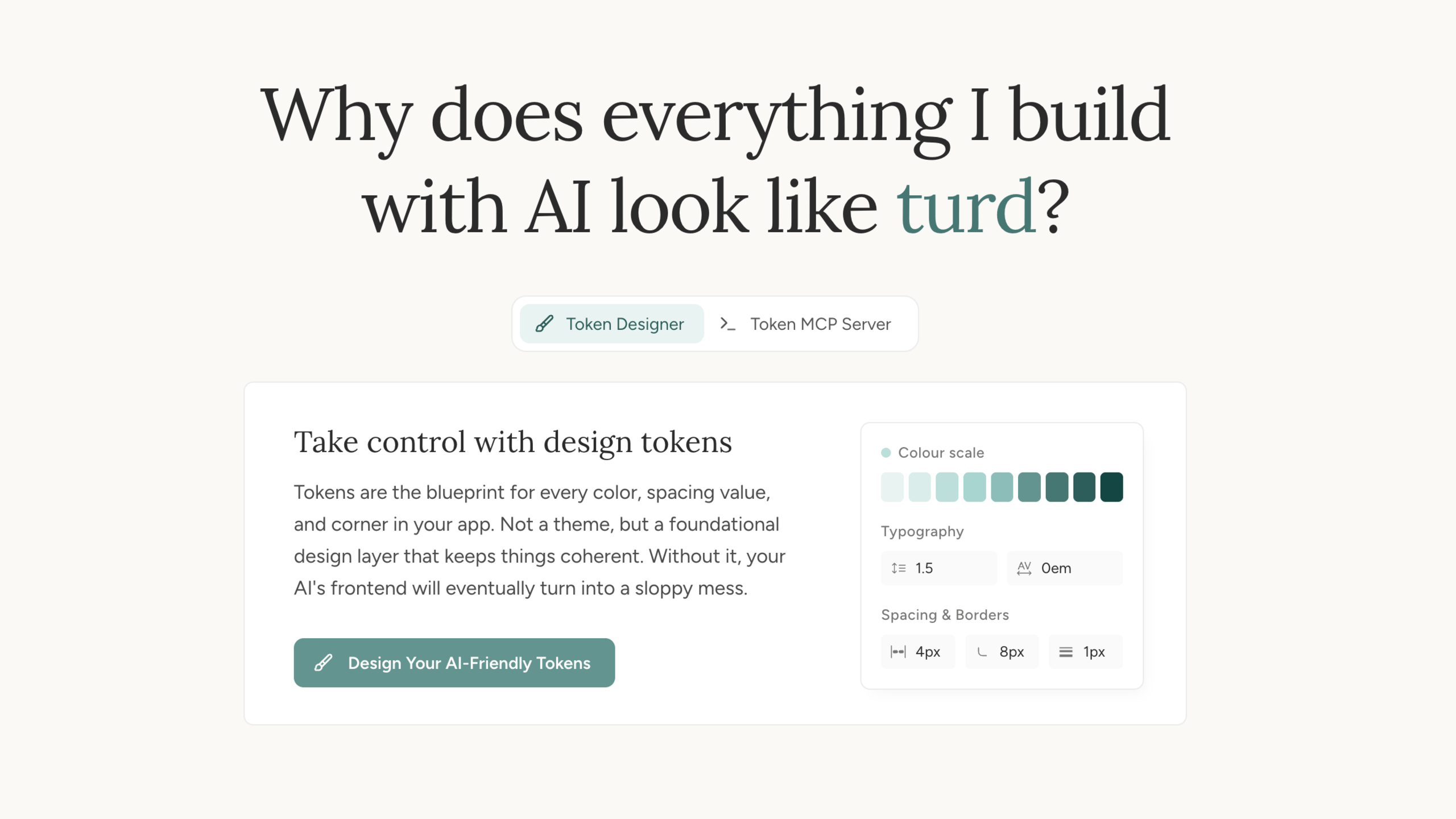
Teaching AI assistants to design consistently with a tokenised vocabulary and OKLCH colour theory
tokens.flett.ccThe problem is familiar to anyone who's worked with AI code generation: the first few prompts look fine, but by the twentieth, coherence is gone. AI coding assistants reach for arbitrary pixel values, random hex codes, and inconsistent spacing without constraints. Design tokens provide the foundational constraints that keep everything consistent, giving AI a shared vocabulary to work from rather than making things up every time. This exploration builds a tool to make that work in practice.
What is MCP?
The Model Context Protocol (MCP) allows AI assistants like Claude, GitHub Copilot, and others to connect to external tools and services. This means you can ask your AI assistant to generate design tokens for you directly!
Install via NPM, connect to Claude Desktop or your preferred AI assistant, and suddenly your AI has live access to your token definitions. No copy-pasting token values into prompts. No hoping the AI remembers what you told it three messages ago. The AI queries your tokens directly and uses them correctly, every time.
Installation
Hosted Server
Use our hosted MCP server - no installation required. Always up-to-date.
https://tokens.flett.cc/mcp
What are design tokens?
Design tokens are the smallest building blocks of your design system. Instead of using raw values like #3b82f6, you use named tokens like primary-500.
Why use tokens?
Change one token, update everywhere
Easily switch between light and dark modes
Designers and developers speak the same language
Token Types
Color scales from 50 (lightest) to 950 (darkest) for each brand color. These are the raw colors you'll reference.
Named by purpose: primary, secondary, success, warning, danger. These adapt to light/dark mode.
Spacing, typography, border radius, and shadows that complement your colors.
Color algorithm
Tokens uses a sophisticated dual-algorithm approach to generate color scales that are both aesthetically pleasing and functionally superior for UI design. The system automatically detects whether a color is chromatic (has hue) or achromatic (neutral/gray) and applies the appropriate algorithm.
Why Two Algorithms?
(blues, greens, oranges, etc.) benefit from vibrant mid-tones and smooth transitions
(grays, neutrals) need subtle light shades for backgrounds and high-contrast dark shades for text
The OKLCH Foundation
Both algorithms use OKLCH color space, which provides perceptually uniform color manipulation. This means equal numeric changes produce equal visual changes, something RGB and HSL can't guarantee.
What is OKLCH?
Perceived brightness from black (0) to white (1). Unlike HSL, lightness values match human perception.
Colorfulness or saturation. Higher values = more vibrant. Can exceed 0.37 for very saturated colors.
Color angle: 0° = red, 120° = green, 240° = blue, etc.
Learn more at oklch.com
APCA Contrast for Accessibility
We use APCA (Advanced Perceptual Contrast Algorithm) to ensure our color scales meet modern accessibility standards. Unlike WCAG 2.x contrast ratios, APCA provides perceptually accurate, context-aware contrast measurements.
Why APCA Over WCAG 2.x?
APCA accounts for how humans actually perceive contrast, including spatial frequency, polarity effects, and ambient lighting conditions.
Unlike WCAG ratios, APCA recognizes that light text on dark backgrounds needs different treatment than dark text on light backgrounds.
APCA Lc values directly relate to use cases: Lc 90 for body text, Lc 75 for large text, Lc 60 for UI elements, Lc 45 for disabled states.
When generating color scales, we use APCA to compute optimal lightness values that ensure sufficient contrast for different use cases. This guarantees that:
- Light shades work for subtle backgrounds without accessibility issues
- Mid-range shades provide appropriate contrast for interactive elements
- Dark shades meet standards for body text (Lc 90+)
- All scales are perceptually uniform and predictable
Chromatic Color Algorithm
For colors with hue (blues, greens, oranges, purples, etc.), we use a Radix Colors-inspired approach with smooth easing curves, progressive chroma distribution, and constant hue for brand consistency.
1. Adaptive Lightness Distribution
Lightness uses adaptive scaling based on available headroom above and below the base color. Smooth easing curves at the light end optimize for UI backgrounds, while larger jumps at the dark end ensure text contrast and accessibility.
Shade  Headroom Usage       Purpose
25   +98% of available   Nearly white (subtle tint)
50   +93% of available   Very light background
100   +86% of available   Light background
200   +76% of available   Soft background
300   +62% of available   UI element background
400   +38% of available   Hover state
500    0% (exact base)    Base/primary color
600   -20% of available   Active/pressed state
700   -38% of available   Borders
800   -56% of available   Solid backgrounds
900   -76% of available   High contrast text
950   -90% of available   Highest contrast
This adaptive approach ensures optimal results regardless of your base color's lightness, whether you start with a light pastel or a dark, rich hue.
2. Progressive Chroma Easing
Chroma follows a progressive easing curve that creates subtle pastel tints at the light end while maintaining full vibrancy through the interactive range (shades 400-900).
Shade Range  Chroma %   Purpose
25         8-23%      Very subtle hint of color
50-100     23-55%     Gentle color introduction
100-200    55-85%     Smooth progression
200-400    85-100%    Approaching peak
400-900    100%       Full peak maintained
900-950    94-100%    Minimal reduction
This distribution ensures light backgrounds feel clean and subtle while interactive elements (buttons, links, badges) remain vibrant and engaging. The extended peak range through shade 900 maintains color presence even in darker UI elements.
3. Constant Hue Throughout Scale
Unlike some algorithms that apply hue rotation, we maintain constant hue across all shades. This ensures perfect brand color consistency and creates a cohesive, recognizable palette.
Formula: H(n) = H_base (constant)

Example: If base hue = 310.4° (purple)
Shade 25: 310.4°
Shade 500: 310.4° (exact base)
Shade 950: 310.4°
This approach, inspired by Radix Colors, prioritizes brand recognition and visual consistency. Users will immediately recognize your brand color across all shades, from the lightest backgrounds to the darkest text.
Achromatic Color Algorithm
For neutral colors (grays with chroma < 0.01), we use a distribution pattern inspired by Tailwind CSS that prioritizes readability and subtle UI backgrounds.
Tailwind-Inspired Distribution
Neutrals need different behavior than chromatic colors. Light shades must be very subtle (close to white) for card backgrounds and subtle borders, while dark shades need aggressive contrast for readable text.
Shade  Offset from base (500)  Step Size  Purpose
50   +0.429                 0.015      Subtle backgrounds
100   +0.414                 0.048      Very light UI elements
200   +0.366                 0.052      Light borders/dividers
300   +0.314                 0.162      Card backgrounds
400   +0.152                 ⚡HUGE     Hover states
500    0.000 (base)          0.117      Base neutral
600   -0.117                 0.068      Muted text
700   -0.185                 0.102      Secondary text
800   -0.287                 0.064      Body text (dark mode)
900   -0.351                 0.060      Headings
950   -0.411                            Deep backgrounds
Notice the massive lightness drops between shades 300-500. This creates excellent contrast for text on light backgrounds while keeping the lighter shades subtle and non-distracting.
Benefits of This Approach
Perceptually Uniform
OKLCH ensures equal lightness changes produce equal visual changes. Shade 300 looks equally lighter than 400 as 700 looks darker than 600.
Vibrant Mid-Tones
The parabolic chroma curve creates punchy, engaging colors for interactive elements like buttons and links without oversaturating backgrounds.
Excellent Readability
Neutral scales provide high-contrast text options while keeping light shades subtle enough for backgrounds and dividers.
Battle-Tested
Based on proven approaches from Radix Colors and Tailwind CSS, methodologies used in thousands of production applications.
Brand Consistent
Constant hue throughout the scale ensures perfect brand color recognition. Your purple stays purple from lightest tint to darkest shade.
Harmonious
Both chromatic and achromatic scales work together seamlessly, ensuring your entire design system feels cohesive.
The complete implementation is open source: View oklch.ts on GitHub →
 Example of the design system in practice
Try it at tokens.flett.cc.